Modifier 25: When to Use It on E/M Claims
Modifier 25 tells a payer that your E/M service was significant and separately identifiable from a procedure or other service on the same day. Use it when the note documents a distinct problem-oriented visit beyond the usual work of the procedure, vaccine or preventive service.
This article breaks down what modifier 25 means, three common scenarios, when not to use it, what the note must show, payer scrutiny and a short G2211 section. It ends with example claim lines, and rules are current as of October 10, 2026.
Key Takeaways
- One test. The modifier belongs on an E/M that is significant and separately identifiable from the same-day service.
- E/M codes only. The modifier goes on the E/M code only.
- The note decides. The record must show a distinct problem, with its own history, assessment and plan.
- Payers are watching. Denials, documentation requests and a proposed 2027 Medicare payment cut make clean notes more valuable.
What Modifier 25 Means
The AMA describes modifier 25 as a signal that a significant, separately identifiable E/M service was performed by the same physician or qualified health professional on the same day as a procedure or other service. It also signals that documentation exists to support that E/M.
What it does. It lets you report an E/M and a same-day service that would otherwise bundle together.
What it attests. Appending it states that the record supports a distinct E/M, and many payers ask for that record on request.
The AMA offers three questions to test a claim:
- Did you document the medical decision making or time needed for a problem-oriented E/M?
- Could that work stand alone as a reportable service?
- Did you do extra work beyond the usual pre-procedure or post-procedure work?
Common Modifier 25 Scenarios
Three scenarios account for most claims that use it. Each one needs a distinct problem in the note.
E/M With a Minor Procedure
A minor procedure includes the decision to perform it. The NCCI Policy Manual states that this decision is included in the procedure payment, so the visit that decides to perform the procedure does not earn a separate E/M.
The modifier applies when you also evaluate and manage a distinct problem.
For example, a patient returns to review hypertension and also has a skin lesion biopsied. The hypertension work is separate from the biopsy.
E/M With Vaccine Administration
A vaccine-only visit bills the vaccine codes. CMS states that a provider seen only to give the vaccine may not routinely bill an office visit.
When the patient also has a problem that you evaluate and manage, such as a medication review, the E/M can carry the modifier next to the administration code. Our guide to flu vaccine claims shows how the product and administration codes are reported, and our CPT 90471 guide covers vaccine administration documentation.
Preventive Visit With a Problem-Oriented E/M
A preventive visit can uncover a problem that needs added work. Moda Health's published policy allows a preventive code (99381 through 99397) with a problem-oriented E/M (99211 through 99215) and modifier 25 when that added work is documented.
The problem needs its own documented history, assessment, and plan.
When Not to Use Modifier 25
Skip the modifier when the E/M does not meet the test. These are the most common cases.
The decision to perform a minor procedure. The NCCI Policy Manual includes this decision in the procedure payment.
A visit that only evaluates the problem the procedure treats. Moda's policy gives an injection or a lesion removal as examples that do not qualify.
A vaccine-only visit. If the note shows only the vaccine and routine counseling, bill the vaccine codes.
Work inherent to the procedure. The NCCI manual excludes work that belongs to the procedure, such as supervision or interpreting its result.
A non-E/M code. Moda's policy denies the modifier appended to surgical, medicine or diagnostic codes as an invalid combination.
Our CPT 99214 guide covers choosing the E/M level once you confirm the modifier applies.
What the Note Must Show
The claim only works if the record shows two separate services. Use this checklist on every claim that uses it.
- Identify the distinct problem. Name the problem that the E/M addresses.
- Document the history and exam for that problem. Record only the work needed for the E/M.
- Record the assessment and plan. Give the problem its own assessment and plan.
- Support the E/M with decision making or time. Document the medical decision making or total time for the E/M.
- Separate the procedure note. Place the procedure documentation under its own sub-heading.
- Link each service to its diagnosis. Point each claim line to the diagnosis that supports it.
The NCCI manual states that the E/M may relate to the same or a different diagnosis as the procedure, but the work still needs to be distinct.
Moda's policy requires the procedure and E/M to be clearly separate in the record, such as under separate sub-headings.
Payer Scrutiny and Denials
The modifier draws attention because it can raise payment. Payers respond with edits, record requests and payment reductions.
The AMA notes that private payers may require documentation with the claim, reduce payment for the second code or reject the claim. Moda's published policy, for example, reduces separate reimbursement for a problem-oriented E/M billed with a preventive visit by 50% for some states and plans.
Common denial reasons:
Modifier on the wrong code. The modifier sits on a procedure or vaccine code instead of the E/M.
No distinct problem. The note shows only the work for the procedure.
Missing records. The payer asks for documentation and the note cannot separate the services.
Edit conflicts. The claim pairs the E/M with a procedure whose edit does not allow the modifier.
Troubleshooting a denial:
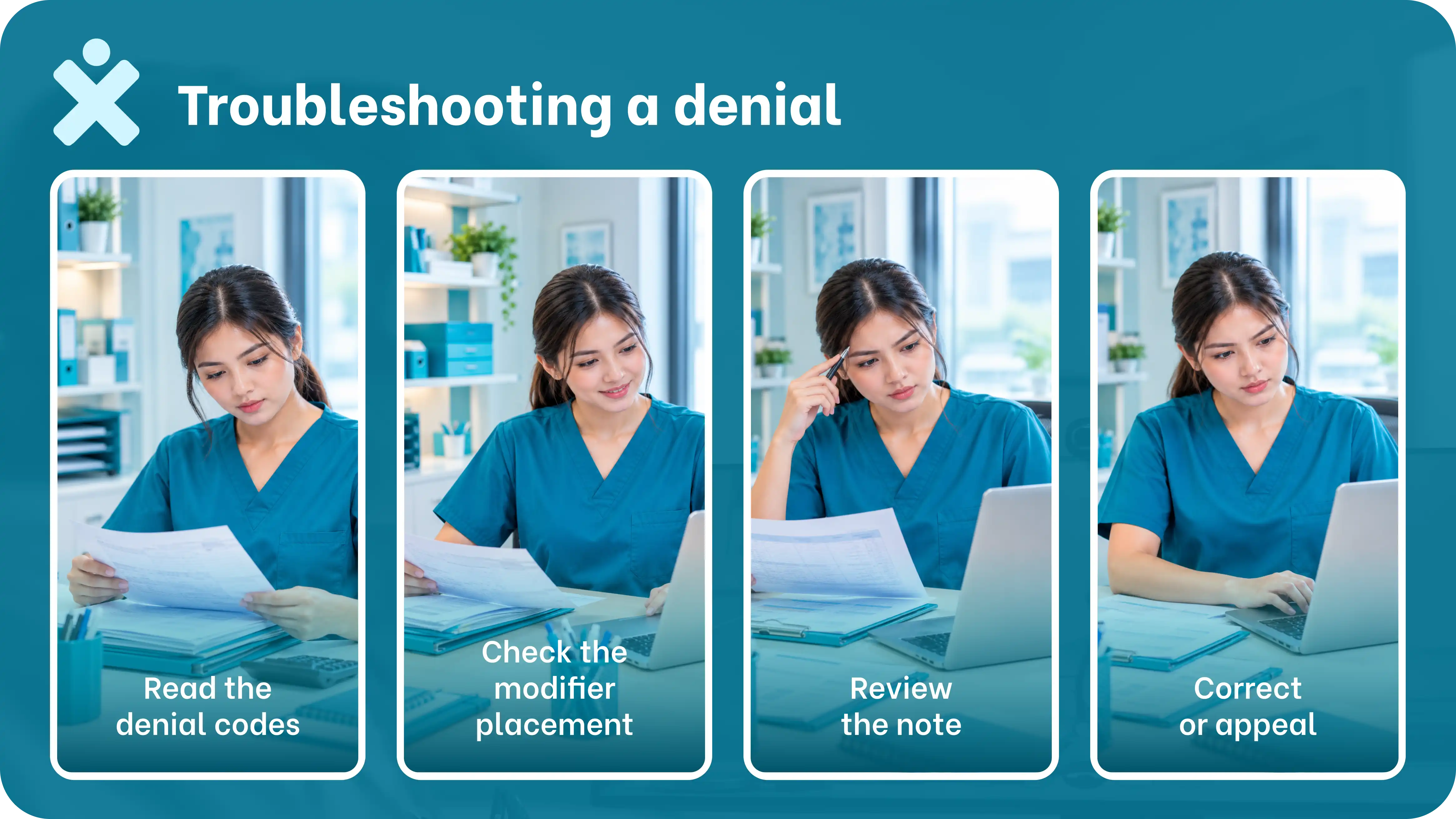
- Read the denial codes. Note the reason code and any remark code.
- Check the modifier placement. Confirm it is on the E/M only.
- Review the note. Confirm it shows a distinct problem.
- Correct or appeal. Fix the claim, or appeal with the supporting record.
A Proposed 2027 Medicare Change to Watch
In the CY 2027 Physician Fee Schedule proposed rule, CMS proposes paying a separately identifiable office or outpatient E/M at 50% when it falls on the same day as most procedures. Comments closed September 14, 2026, a final rule is expected by November 1, and the change would take effect January 1 if finalized.
This is a proposal and not a final rule. Watch the final rule before you change billing practice, and keep documentation strong in the meantime.
Modifier 25 and G2211
G2211 is an add-on code for longitudinal care, and modifier 25 changes whether it pays. CMS denies G2211 when the base E/M carries modifier 25, with an exception for same-day vaccine administration, an annual wellness visit or another Medicare Part B preventive service.
Read our G2211 billing guide for the full rules and documentation checklist.
Example Claim Lines
The examples use sample codes only. Confirm each pairing against your payer’s edits.
Source: AMA, NCCI Policy Manual (2026), Moda Health policy RPM028 and CMS vaccine pricing, as of October 10, 2026. Example B uses 90471 for a commercial claim. Medicare reports flu vaccine administration with G0008.
In each example the modifier sits on the E/M line only. The note must still show the distinct problem, as described above.
Why Billing Teams Need a Modifier 25 Checklist
These errors repeat because the claim and the note live in different places. A coder sees a procedure and a visit, and the note decides whether both are payable.
A dedicated billing virtual assistant can apply the checklist before each claim leaves the practice. MedVirtual places HIPAA-trained medical billing virtual assistants who start in under 2 weeks and work inside your existing systems.
Use Modifier 25 With Confidence
The modifier is a claim about your documentation, so the note and the claim must agree. Confirm the distinct problem, place the modifier on the E/M and check your payer's edits.
MedVirtual includes billing support matched to your specialty and payer mix, with 100% HIPAA-trained virtual assistants and 70% cost savings vs in-house staffing.

Your Guide To Common Questions & Solutions